

Sunvivae 6W Solar Panel for Ring Cameras | USB-C & Barrel Plug


Sunvivae 6W Solar Panel for Ring Cameras | USB-C & Barrel Plug

Keep Compatible Ring Battery Cameras Charged With the Sun
A compact 6W solar panel with USB-C and 3.5 × 1.35 mm barrel-plug support, a weather-resistant build, and flexible positioning for outdoor battery cameras.
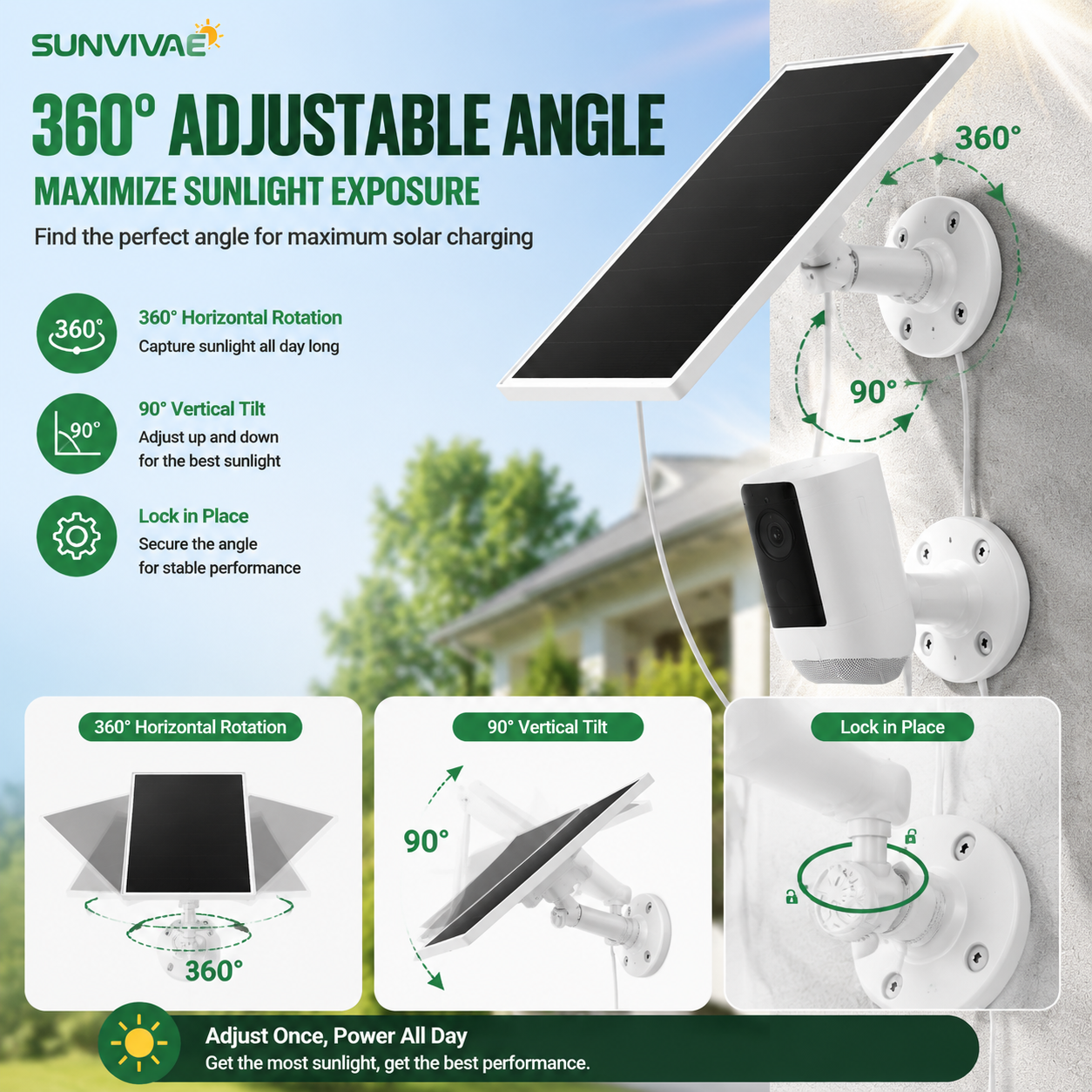
Flexible 360° + 90° Positioning
Rotate the mount horizontally and tilt the panel vertically to improve exposure as the sun's position changes by location and season.
- 360° horizontal rotation
- 90° vertical tilt
- Lockable adjustment for stable placement
- 9.8 ft cable helps separate the sunny panel location from the camera location
Camera Compatibility
This panel is intended for rechargeable DC 5V outdoor cameras with a compatible USB-C or 3.5 × 1.35 mm barrel charging port. Camera names and charging ports can vary by generation and region, so verify the port on your exact camera before purchase.
Compatible Ring camera families
- Ring Outdoor Cam Plus
- Ring Stick Up Cam Pro
- Ring Spotlight Cam Plus Battery / Solar
- Ring Spotlight Cam Pro Battery / Solar
- Ring Stick Up Cam Battery / Solar, 2nd and 3rd generation
- Other DC 5V battery cameras using the supported connector, after port verification
Not compatible
- Ring Stick Up Cam 1st generation
- Ring Doorbell series
- Plug-in, wired, or battery-free cameras
- Wyze Outdoor Battery Camera
- Cameras requiring a different voltage or proprietary connector
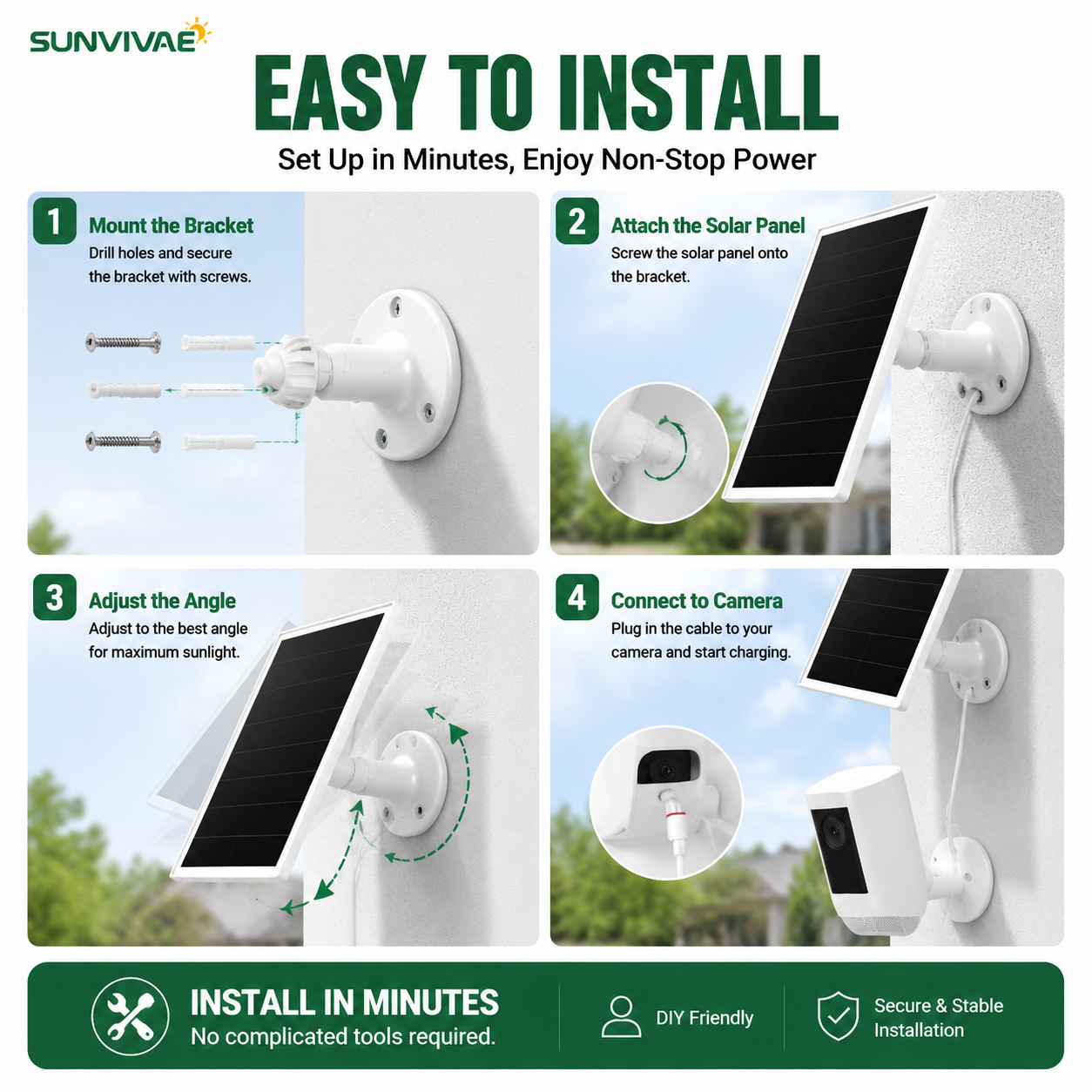
Install, Aim, and Connect
- Secure the mounting bracket to a suitable outdoor surface.
- Attach the solar panel to the bracket.
- Aim the panel toward unobstructed direct sunlight and lock the angle.
- Route the cable safely and connect the correct adapter to the camera.
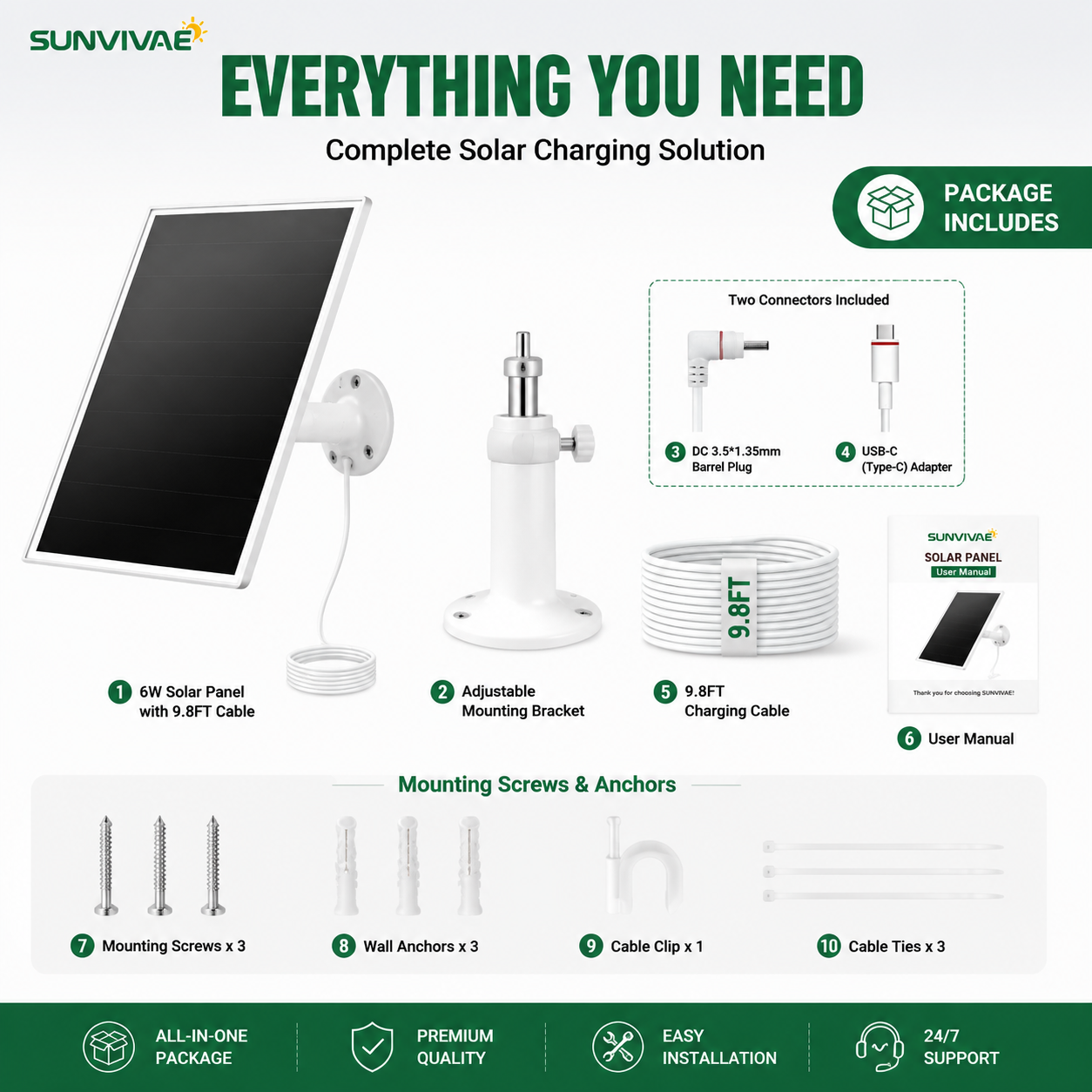
What's in the Box
- 1 × 6W solar panel with 9.8 ft cable
- 1 × adjustable mounting bracket
- 1 × 3.5 × 1.35 mm barrel connector
- 1 × USB-C adapter
- Mounting screws and wall anchors
- 1 × cable clip and 3 × cable ties
- 1 × user manual
Product Specifications
| Solar power rating | 6W |
|---|---|
| Rated output | DC 5V |
| Maximum output voltage | 5.7V |
| Open-circuit voltage | 7.15V |
| Output current | 1.2A |
| Short-circuit current | 1.39A |
| Connectors | USB-C and 3.5 × 1.35 mm barrel plug |
| Cable length | 9.8 ft / 3 m |
| Mount adjustment | 360° horizontal rotation and 90° vertical tilt |
| Weather rating | IP65 solar panel |
| Operating conditions | -5°F to 120°F (-20.5°C to 48.5°C) |
| Color | White |
Frequently Asked Questions
Will the panel power my camera at night?
No. The panel produces energy in daylight and helps replenish the camera's rechargeable battery. The camera battery supplies power at night. Charging performance depends on sunlight, camera activity, temperature, and battery condition.
How much direct sunlight does it need?
Place the panel where it receives several hours of unobstructed direct sunlight. Avoid shade from eaves, trees, walls, and nearby objects. More camera activity may require more charging time.
What happens during cloudy, rainy, or snowy weather?
The panel may still generate some energy, but output is lower when direct sunlight is limited. The camera may draw down its battery until stronger sunlight returns. Clear snow, leaves, dirt, and other obstructions from the panel when safe to do so.
Which direction should the panel face?
In the Northern Hemisphere, a generally south-facing position is often best; in the Southern Hemisphere, a generally north-facing position is often best. Use the adjustable mount to refine the angle for your site and season.
Is the connection to my camera waterproof?
The solar panel is rated IP65, but the camera-side connection depends on the camera and installation. Follow the camera manufacturer's weatherproofing guidance and keep the connection protected from standing water.
Does it include a warranty?
It is covered by Sunvivae's 12-month limited warranty, subject to the store's published warranty terms.
Questions Before You Buy?
Tell us your exact camera model and charging-port type, and we will help you check compatibility.
Ring and the names of Ring products are trademarks of their respective owner. Sunvivae is an independent seller and is not affiliated with, endorsed by, or sponsored by Ring. Compatibility references are provided only to help identify suitable devices.
Why Shop with Sunvivae?
Secure payment options, clear policies and responsive support—before and after your purchase.
Secure Checkout
Use the secure payment options shown at checkout.
Trackable Shipping
Tracking details are provided after your order ships.
12-Month Warranty
Limited warranty coverage for added peace of mind.
Helpful Support
Contact us with product, order or compatibility questions.
How to Pay
Add your item to the cart and continue to checkout. Available payment methods will be displayed securely for your order.
Shipping & Order Tracking
Returns & Refunds
Secure Payment
Visit our Contact Us page or email support@sunvivae.com.