

Sunvivae 30A PWM Solar Charge Controller for 12V/24V Batteries with LCD & Dual USB


Sunvivae 30A PWM Solar Charge Controller for 12V/24V Batteries with LCD & Dual USB

30A PWM Solar Charge Controller
Smarter Charging for 12V & 24V Solar Systems
Manage solar charging, battery status and compatible DC loads from one compact controller with automatic system-voltage recognition, an LCD display and adjustable operating parameters.
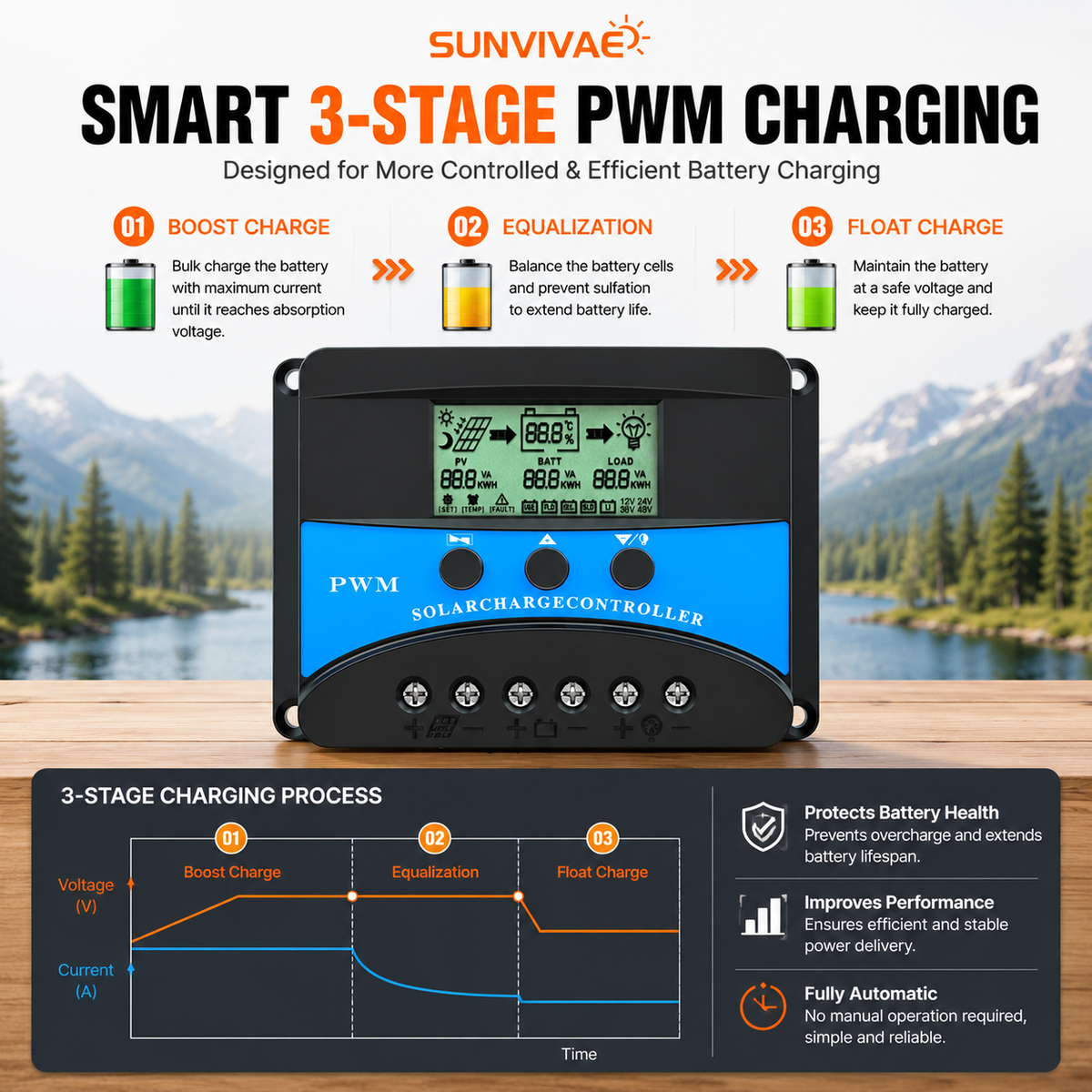
Controlled Battery Charging
Three Stages, One Automatic Process
PWM charging management adjusts the charging process as the battery approaches full charge, helping support stable everyday operation and battery care.
1. Boost Charging
Delivers available charging current during the main charging stage, subject to sunlight, battery condition and system limits.
2. Battery-Specific Stage
Charging behavior depends on the battery type and selected parameters. Equalization must only be used when the battery manufacturer allows it.
3. Float Maintenance
Maintains a charged compatible lead-acid battery at an appropriate voltage instead of continuously applying maximum charge.
LCD Monitoring
System Status at a Glance
View solar input, battery status, load information and operating icons from the front display. Three buttons provide access to supported settings and DC-load control.
- Solar charging status
- Battery voltage and approximate charge status
- DC-load status
- System-voltage and operating indicators
- Automatic parameter memory
Battery state-of-charge icons are voltage-based estimates and may not equal a laboratory capacity measurement.

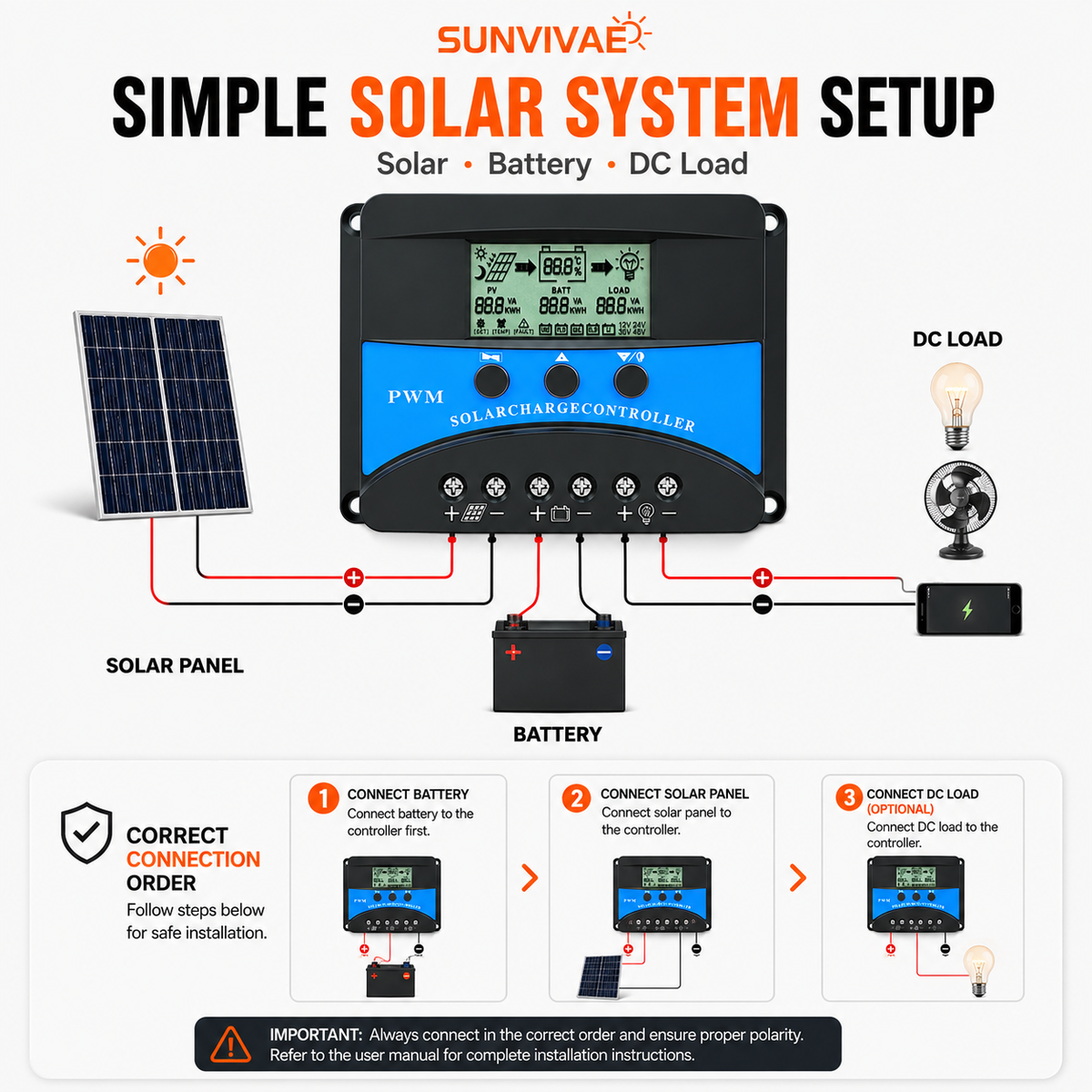
Correct Connection Order
Battery First. Solar Second. Load Last.
The battery powers the controller and allows it to identify the system voltage before solar input is connected.
Confirm 12V or 24V battery voltage and correct polarity.
Confirm array voltage, polarity and controller input compatibility.
Optional—only for a compatible low-voltage DC load within the output rating.
Flexible Controls
Built for Practical Off-Grid Systems
- Automatic recognition of 12V or 24V systems
- Adjustable supported charge and discharge parameters
- Dual USB output rated 5V / 2A total
- Clearly labeled screw terminals
- Compact housing with four mounting points
USB power and load output depend on battery connection and controller settings. The controller does not generate or store electricity.
Clear, Compact Interface
The front layout brings the LCD, three operating buttons, six clearly marked screw terminals and dual USB ports together in one compact housing.
Use correctly sized copper conductors, tighten every terminal securely and protect the circuit with appropriately rated overcurrent protection.
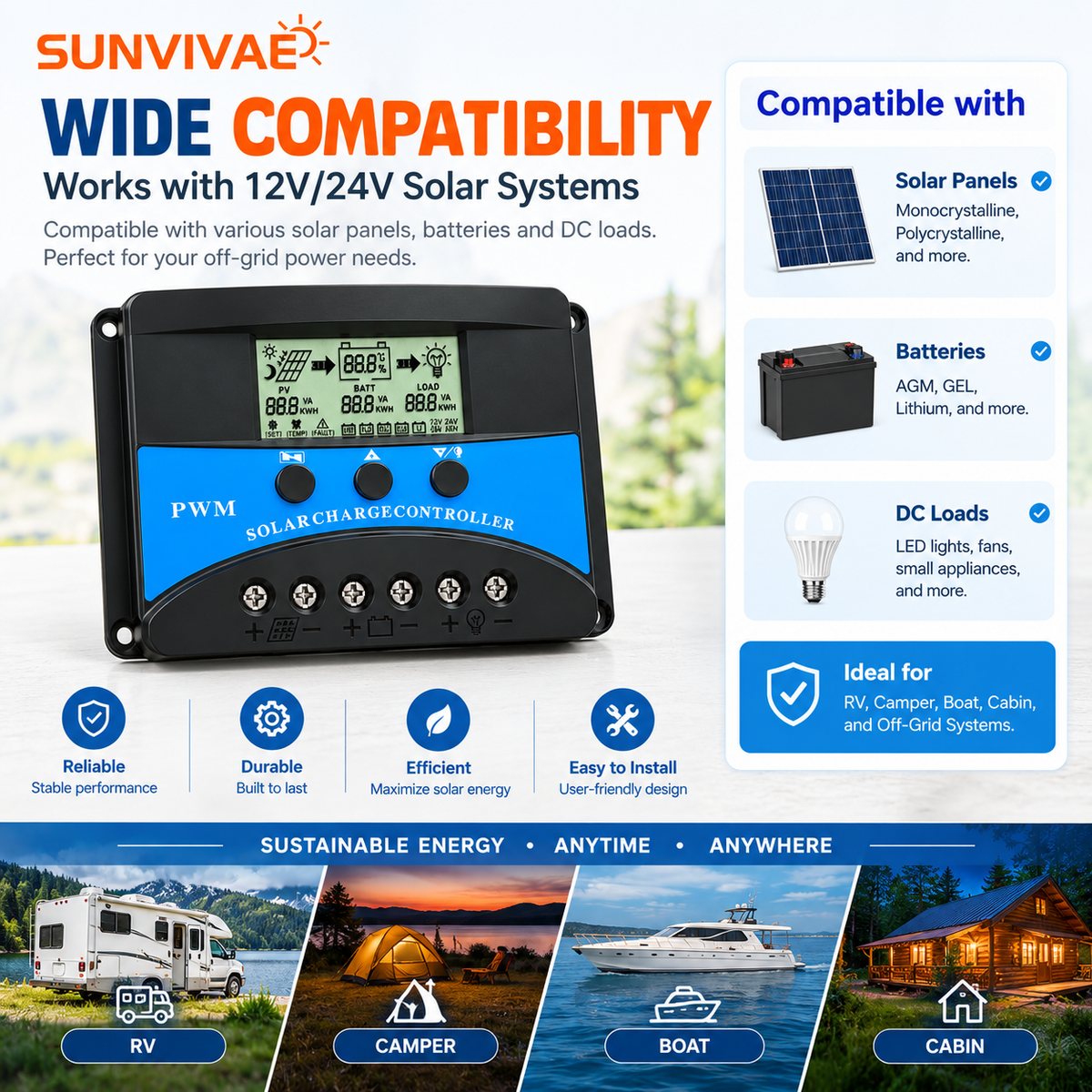
System Compatibility
Check Every Component Before Connecting
This controller is intended for compatible 12V or 24V off-grid battery systems—not grid-tied solar installations or direct panel-to-appliance use.
Solar Array
Use a solar array whose open-circuit voltage and short-circuit current remain within the limits printed on the controller or supplied manual.
Battery Bank
Select the correct profile and charging voltages for the exact lead-acid, lithium-ion or LiFePO4 battery being used.
DC Load
Only connect compatible 12V/24V DC loads within the controller's load-output rating. High-surge equipment should connect appropriately at the battery.
Confirmed Product Details
Specifications
The selected listing is the 30A 12V/24V version. Specifications for other current or 48V versions do not apply.
| Controller type | PWM solar charge controller |
|---|---|
| Selected version | 30A |
| System voltage | 12V / 24V automatic recognition |
| Charging method | 3-stage PWM management |
| Display | LCD |
| Controls | 3-button operation |
| USB output | Dual USB, 5V / 2A total |
| Supported batteries | Compatible lead-acid, lithium-ion and LiFePO4 batteries with correct settings |
| Installation | Indoor, dry and ventilated location |
Maximum PV open-circuit voltage, maximum recommended solar wattage, load current and model-specific charging voltages must be confirmed from the label/manual supplied with the product before system design.
Frequently Asked Questions
Before You Install
Is this an MPPT controller?
No. This is a PWM solar charge controller. It should not be advertised as MPPT.
Can it automatically recognize 12V and 24V systems?
Yes. Connect the battery first so the controller can power on and recognize system voltage before connecting the solar array.
Can I use it with lithium or LiFePO4 batteries?
The manufacturer lists compatible lithium and LiFePO4 operation, but you must select the correct battery mode and confirm all charge-voltage settings against the battery manufacturer's requirements. A battery with its own suitable BMS is recommended.
Can I connect two 100W solar panels?
Potentially, but compatibility depends on the panels' series or parallel wiring, Voc, Isc and the controller's model-specific PV limits. Do not decide compatibility from the 30A label alone.
Can I connect an inverter to the load terminals?
No. Inverters and other high-surge loads should not be connected to the controller's load terminals. Follow the inverter and battery manufacturers' instructions and use correctly sized fusing and cables.
Is the controller waterproof?
No waterproof rating has been confirmed. Install it indoors in a dry, ventilated location away from rain, condensation, excessive heat and flammable materials.
Questions Before You Connect?
Send us your solar-panel Voc/Isc, battery voltage and battery chemistry. We will help you check the essential compatibility points.
Contact SunvivaeWhy Shop with Sunvivae?
Secure payment options, clear policies and responsive support—before and after your purchase.
Secure Checkout
Use the secure payment options shown at checkout.
Trackable Shipping
Tracking details are provided after your order ships.
12-Month Warranty
Limited warranty coverage for added peace of mind.
Helpful Support
Contact us with product, order or compatibility questions.
How to Pay
Add your item to the cart and continue to checkout. Available payment methods will be displayed securely for your order.
Shipping & Order Tracking
Returns & Refunds
Secure Payment
Visit our Contact Us page or email support@sunvivae.com.